
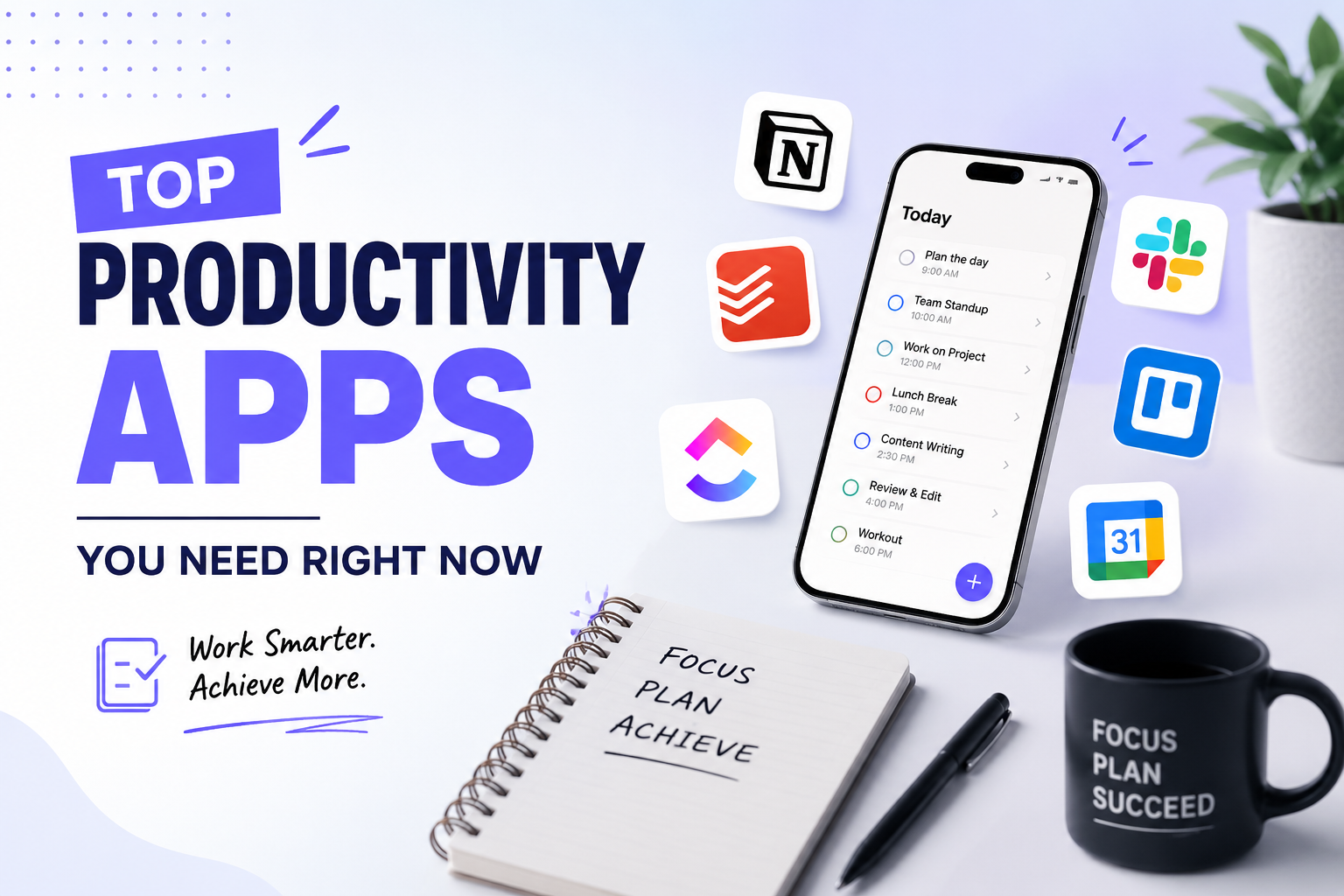
You sit down to work. You have a full to-do list. But two hours later, you’ve answered a few emails, scrolled through your phone, and somehow feel more behind than when you started.
Sound familiar? You’re not alone.
Most people don’t have a productivity problem — they have a tools problem. The right apps can completely change how you work, think, and manage your time. And no, you don’t need to be a tech genius to use them.
That’s exactly why we put together this guide on the top productivity apps you need right now — whether you’re a student, freelancer, remote worker, or small business owner.
These aren’t just flashy apps with big promises. These are tools that real people use every single day to stay organized, focused, and on top of their goals.
Let’s get into it.
Why Most People Struggle With Productivity
Before we jump into the apps, let’s be honest about why staying productive is so hard in the first place.
Here’s the truth: our brains are not built for the modern workload. We deal with:
- Constant notifications and distractions
- Overflowing email inboxes
- Meetings that could have been emails
- Tasks that pile up faster than we can complete them
- The mental exhaustion of trying to remember everything
The solution isn’t to work harder or longer. It’s to work smarter — and the right productivity apps make that possible.
Top Productivity Apps You Need Right Now
We’ve organized these apps by category so you can find exactly what you need — whether it’s task management, focus, notes, communication, or time tracking.
Task Management Apps
1. Todoist — Best All-Around Task Manager
Todoist is one of the most popular task management apps in the world — and for good reason. It’s clean, fast, and works on every device you own.
You can create tasks, set deadlines, add priority levels, and organize everything into projects. It even has a feature called Karma that tracks your productivity streak and rewards you for completing tasks consistently.
Best features:
- Natural language input (“Meet Sarah next Monday at 3pm” gets added automatically)
- Recurring tasks (great for habits and routines)
- Subtasks and task dependencies
- Integration with Gmail, Slack, Google Calendar, and more
- Clean mobile and desktop apps
Who it’s for: Anyone who feels overwhelmed by their to-do list and wants a simple, powerful way to organize their day.
Pricing: Free plan available. Premium starts at $4/month.
2. Notion — Best for Teams and Power Users
Notion is more than just a task manager. It’s an all-in-one workspace where you can take notes, manage projects, build databases, create wikis, and track goals — all in one place.
Think of it as your second brain. You can build a personal dashboard that shows your tasks for today, your weekly goals, your reading list, and your project deadlines — all on one screen.
Best features:
- Fully customizable pages and databases
- Templates for almost every use case (resume, project tracker, journal, etc.)
- Notion AI for writing, summarizing, and brainstorming
- Real-time collaboration for teams
- Works on mobile, desktop, and browser
Who it’s for: Freelancers, students, and teams who want one app to replace five.
Pricing: Free for personal use. Team plans start at $8/user/month.
3. Trello — Best Visual Task Manager
If you’re a visual thinker, Trello is made for you. It uses a Kanban board system — cards and columns — to help you visualize your workflow at a glance.
You can create boards for different projects, drag tasks between columns (like “To Do,” “In Progress,” and “Done”), and add checklists, attachments, and due dates to each card.
Best features:
- Drag-and-drop simplicity
- Power-ups for calendar view, automation, and integrations
- Great for managing content calendars, project pipelines, and launches
- Easy for beginners to pick up in minutes
Who it’s for: Visual thinkers and small teams who want a simple project management tool.
Pricing: Free plan available. Standard plan starts at $5/user/month.
Focus and Deep Work Apps
4. Forest — Best App for Beating Phone Distraction
Here’s a simple but genius idea: Forest lets you plant a virtual tree when you want to focus. If you leave the app to check social media or browse, your tree dies.
It sounds silly — but it works. The visual reward of watching your forest grow keeps you motivated to stay on task. Over time, you earn coins that can be used to plant real trees through a partner organization.
Best features:
- Gamified focus sessions (based on the Pomodoro technique)
- Real tree planting for staying focused
- Stats to track your focus habits over time
- Works on iOS and Android
Who it’s for: Anyone who constantly picks up their phone instead of working.
Pricing: One-time purchase of around $1.99 on mobile. Free on Chrome browser extension.
5. Freedom — Best App for Blocking Distracting Websites
Freedom lets you block websites and apps that steal your focus — like YouTube, Reddit, Twitter, or any site you specify — across all your devices at the same time.
You can schedule block sessions in advance so that when it’s time to work, the distractions are already gone before you even think about them. This is one of the most effective ways to force deep work.
Best features:
- Block distractions on Mac, Windows, iOS, and Android simultaneously
- Recurring scheduled sessions
- Locked mode (so you can’t cheat and turn it off)
- Blocklist customization
Who it’s for: Remote workers, writers, students, and anyone who struggles with digital distractions.
Pricing: Free trial available. Plans start at $6.99/month or $29.99/year.
Note-Taking Apps
6. Obsidian — Best for Building a Personal Knowledge Base
Obsidian is a note-taking app built around the idea of connected thinking. You write notes in plain Markdown, and then link them together like a personal Wikipedia.
Over time, you build a knowledge graph — a visual web of your ideas, notes, and research that helps you spot connections between things you’ve learned.
Best features:
- Local storage (your notes are on your device, not the cloud)
- Bi-directional linking between notes
- Graph view to visualize your knowledge network
- Hundreds of community plugins for added functionality
- Works offline
Who it’s for: Writers, researchers, students, and anyone who consumes lots of information and wants to actually use it later.
Pricing: Free for personal use. Sync and publish features are paid add-ons.
7. Google Keep — Best Simple Note-Taking App
If Obsidian sounds like too much, Google Keep is the opposite — beautifully simple. It’s perfect for quick notes, reminders, and checklists that sync instantly across all your devices.
You can color-code your notes, set location or time-based reminders, and even capture text from images using OCR. If you already use Gmail or Google Docs, Keep fits naturally into your workflow.
Best features:
- Instant sync across all devices
- Color-coded notes and labels
- Voice memos and image capture
- Shared notes and lists (great for grocery lists with family)
- Integrates with Google Docs and Gmail
Who it’s for: Casual users who want a fast, free place to jot down ideas and reminders.
Pricing: Completely free.
Time Tracking Apps
8. Toggl Track — Best Free Time Tracker
Do you actually know where your time goes each day? Most people don’t — and that’s a huge productivity blind spot.
Toggl Track makes it dead simple to track how long you spend on every task. You start a timer when you begin a task, stop it when you’re done, and at the end of the week you get a clear report showing exactly how your time was spent.
Best features:
- One-click time tracking
- Project and client tagging
- Weekly and monthly reports
- Idle time detection
- Works on mobile, desktop, and browser
Who it’s for: Freelancers who bill by the hour, remote workers, and anyone curious about where their time actually goes.
Pricing: Free for up to 5 users. Starter plan at $9/user/month.
9. RescueTime — Best Automatic Time Tracker
Unlike Toggl, RescueTime runs in the background automatically. You don’t have to remember to start a timer. It just tracks every app and website you use, then shows you how productive (or unproductive) your day really was.
It gives you a Productivity Score each day and highlights your most and least productive hours. Over time, the data helps you find patterns and make real changes to your schedule.
Best features:
- Fully automatic tracking — no manual input needed
- Detailed productivity reports
- Focus sessions to block distractions
- Daily highlights and goals
- Works on Mac, Windows, Android, and Chrome
Who it’s for: People who want honest, automatic data on how they spend their time.
Pricing: Free plan available. Premium at $12/month.
Communication and Collaboration Apps
10. Slack — Best Team Communication App
If your team is still living in email threads, Slack will feel like a revelation. It organizes all team communication into channels — by project, department, or topic — so nothing gets lost in a crowded inbox.
You can send direct messages, share files, start video calls, and integrate with tools like Google Drive, Trello, and Notion — all in one place.
Best features:
- Organized channels for topics and teams
- Threaded conversations to keep replies organized
- Powerful search across all messages and files
- 2,600+ app integrations
- Huddles (lightweight voice/video calls)
Who it’s for: Remote teams, startups, and anyone who needs a better alternative to email for team communication.
Pricing: Free plan available (with message limits). Pro plan at $7.25/user/month.
11. Loom — Best for Async Video Communication
Loom lets you record your screen and face at the same time and send the video to anyone with a link. Instead of typing a long email or jumping on a call, you just record a quick video.
It’s incredibly useful for explaining complex things, giving feedback on documents, or doing walkthroughs — without scheduling a meeting.
Best features:
- Instant screen + webcam recording
- Shareable link (no downloading required)
- Viewer engagement tracking
- Transcript and captions
- Comments and reactions on videos
Who it’s for: Remote workers, managers, teachers, and freelancers who want to communicate more clearly without meetings.
Pricing: Free for up to 25 videos. Business plan at $12.50/user/month.
How to Choose the Right Productivity App for You
With so many options, it’s easy to end up with too many apps — which ironically makes you less productive. Here’s a simple framework to help you choose:
- Identify your biggest bottleneck. Is it task overload? Distraction? Poor time tracking? Start there.
- Pick one app per category. Don’t use three task managers. Pick one and commit.
- Start with free plans. Most of these apps have solid free tiers. Test before paying.
- Give it two weeks. Any new habit takes time. Don’t quit after three days.
- Review your results. Is the app actually making you more productive? If not, switch.
Quick Comparison Table
| App | Category | Best For | Free Plan? |
|---|---|---|---|
| Todoist | Task Management | Individuals | ✅ Yes |
| Notion | All-in-One | Teams & Power Users | ✅ Yes |
| Trello | Task Management | Visual Thinkers | ✅ Yes |
| Forest | Focus | Phone Addicts | ✅ Limited |
| Freedom | Focus | Deep Work | ✅ Trial |
| Obsidian | Notes | Researchers & Writers | ✅ Yes |
| Google Keep | Notes | Casual Users | ✅ Yes |
| Toggl Track | Time Tracking | Freelancers | ✅ Yes |
| RescueTime | Time Tracking | Data-Driven Workers | ✅ Yes |
| Slack | Communication | Remote Teams | ✅ Yes |
| Loom | Communication | Async Teams | ✅ Yes |
FAQ Section
❓ What are the best productivity apps for beginners?
For beginners, Todoist and Google Keep are the easiest places to start. Both are simple, free, and work on any device. Once you’re comfortable, you can explore more advanced tools like Notion or Obsidian.
❓ Are productivity apps really worth it?
Yes — but only if you actually use them consistently. The biggest mistake people make is downloading five apps and using none of them properly. Pick one or two, commit to them for at least two weeks, and you’ll start to see real results.
❓ What is the best free productivity app?
Notion and Todoist both offer powerful free plans. Google Keep is completely free with no limitations. Toggl Track is also free for individuals. You can build a solid productivity system at zero cost.
❓ Can productivity apps help with ADHD?
Yes, many people with ADHD find tools like Forest (for focus), Todoist (for structure), and RescueTime (for awareness) genuinely helpful. That said, apps are tools — not treatments. Always combine them with strategies that work for your unique brain.
❓ What productivity apps do professionals use?
Most professionals use a combination of tools. A common setup might be: Notion for project management, Slack for team communication, Toggl Track for time tracking, and Freedom for focus blocks. The best setup depends on your role and workflow.
❓ How many productivity apps should I use?
Keep it simple. Ideally, aim for one app per category: one task manager, one note-taking app, one focus tool, and one communication platform. Using too many apps creates its own kind of overwhelm.
❓ What’s the best productivity app for remote workers?
Slack (for communication), Notion (for project management), Loom (for async video), and RescueTime (for time awareness) make an excellent remote work stack. Together, they cover almost every need a remote worker has.
Conclusion
The struggle to stay focused, organized, and on top of your work is real — but it doesn’t have to be permanent.
The top productivity apps you need right now aren’t magic wands. They’re systems. And when you put the right systems in place, work starts to feel a little less chaotic and a lot more in control.
Facebook & LinkedIn Caption
The average modern professional loses up to 28% of their entire workweek to fragmented meetings and administrative drag. If you are a founder, freelancer, or marketer, you literally cannot afford to waste your peak creative hours on manual data entry, broken context-switching, and calendar Tetris.
In our latest deep dive, we break down the definitive 2026 operational stack designed to buy back 10+ hours of deep-work focus every single week. From AI-driven time blocking to automated integration engines that connect over 8,000 tools, here is exactly how to stop doing “productivity theater” and start scaling your actual output.