
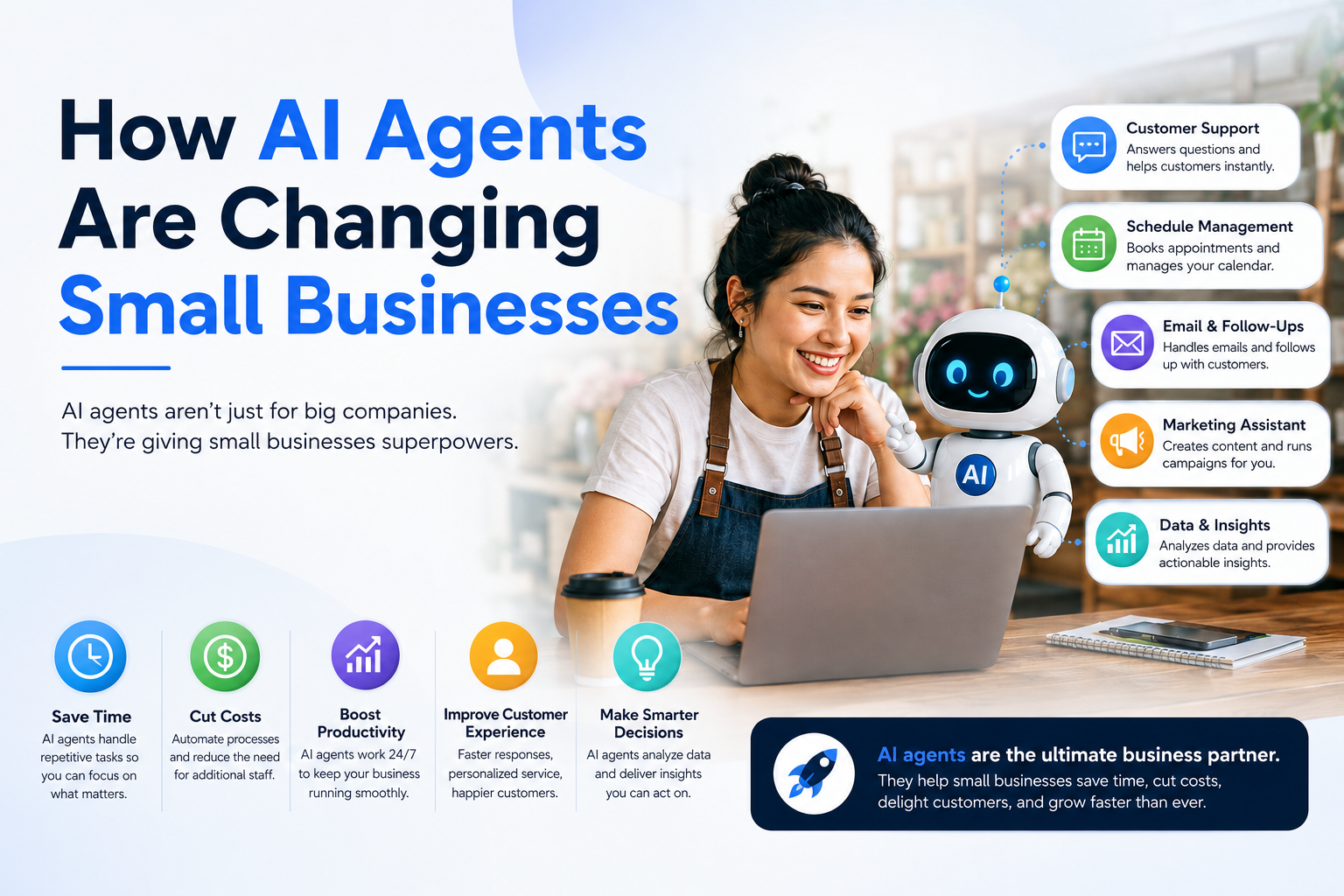
To understand how AI agents are changing small businesses, we first need to define what an AI agent actually is. Many people confuse standard AI chatbots with autonomous agents, but they are entirely different tools.
Chatbots vs. Autonomous AI Agents
A traditional AI chatbot is completely reactive. It sits passively until you type a prompt, answers your specific question, and then stops. If you want it to do something else, you have to write another prompt.
An AI agent, by contrast, is proactive. It is designed to accomplish a specific, long-term goal. Once you give an AI agent an objective, it breaks that objective down into smaller tasks, creates its own step-by-step plan, uses external digital tools (like your CRM, email marketing software, or spreadsheets), and executes the work without needing constant human intervention.
In simple terms: A chatbot is a calculator that waits for your input. An AI agent is an digital team member that can monitor your inbox, update your database, and follow up with clients on its own.
The Underlying Technology: Understanding MCP
A major reason AI agents have become so powerful is the widespread adoption of the Model Context Protocol (MCP).
Think of MCP as a universal translator or bridge. In the past, connecting an AI model to specific software required complex, custom code. MCP provides a standardized way for AI agents to securely connect to third-party tools, databases, and chat platforms (like Slack or Microsoft Teams). This lets the agent read data, run calculations, and execute actions across your entire tech stack safely and reliably.
How AI Agents Are Changing Small Businesses
AI agents act as a massive force multiplier. They allow a solo entrepreneur or a team of three to operate with the operational capacity of a 50-person enterprise. Let’s look at the primary ways these autonomous assistants are transforming everyday business operations.
1. 24/7 Autonomous Customer Experience
Customer service used to be a major bottleneck for small companies. If a customer sent an email at 2:00 AM, they had to wait until business hours for a response. If your team was busy, response times slipped, leading to abandoned shopping carts and lost sales.
AI agents handle customer support end-to-end. Instead of just pulling answers from a static FAQ page, an advanced customer support agent can log into your ecommerce platform, look up a customer’s tracking number, check the real-time shipping status, and send a personalized, helpful update to the customer. If a customer wants to return an item, the agent can cross-reference your return policy, generate a shipping label, and process the return automatically.
2. Intelligent Sales Pipeline Management
Managing a sales funnel requires a lot of repetitive administrative work. Leads must be qualified, CRM data needs to be kept clean, and follow-up emails have to be sent on time.
AI agents can monitor your incoming lead forms around the clock. When a new lead arrives, the agent can research the prospect’s company online, score the lead based on your target customer profile, and update your CRM. From there, it can draft a tailored outreach email or automatically schedule a call on your calendar if the lead is highly qualified.
3. Hyper-Personalized Marketing at Scale
Content creation and digital marketing can swallow hours of your week. While basic AI tools can help you write a blog post, a marketing AI agent can handle the entire distribution and optimization workflow.
For example, you can task an agent with managing a product launch campaign. The agent will analyze your product details, look at your competitors’ recent marketing, draft a multi-channel content calendar, create social media posts, schedule them, and monitor performance analytics. If it notices that LinkedIn posts are driving more conversions than Twitter posts, it will autonomously pivot and reallocate its focus to maximize your marketing budget.
4. Financial Operations and Bookkeeping
Cash flow management is the lifeblood of small business success, but manual bookkeeping is prone to human error. Financial AI agents can connect directly to your business bank accounts and accounting platforms. They can categorize expenses, flag unusual charges, reconcile invoices, and send gentle payment reminders to past-due clients automatically.
Real-World Use Cases and Actionable Examples
To make this practical, let’s look at how distinct small business models use AI agents to scale their operations.
Ecommerce Store
- The Scenario: A boutique online apparel store struggles to manage inventory across multiple platforms while keeping up with customer order inquiries.
- The AI Agent Solution: The owner deploys an operational AI agent connected to Shopify and their supplier’s database. The agent constantly monitors inventory levels. When stock for a popular item drops below a certain threshold, the agent automatically drafts a purchase order for the supplier and flags it for the owner’s approval. Simultaneously, it updates the website’s product pages and handles incoming customer tracking requests.
Digital Marketing Agency
- The Scenario: A boutique digital agency spends too many hours tracking metrics and building weekly performance reports for twenty different clients.
- The AI Agent Solution: The agency sets up an analytics agent using MCP to pull data from Google Analytics, Facebook Ads, and HubSpot. Every Monday morning, the agent automatically extracts the data, analyzes the core performance trends, highlights key wins or areas of concern, and generates clean, client-ready PDF reports. The team saves dozens of hours of manual data entry every month.
Local Service Business (e.g., Plumbing or HVAC)
- The Scenario: A local plumbing contractor misses out on profitable jobs because they are out in the field and cannot answer calls or book emergency appointments quickly enough.
- The AI Agent Solution: The owner integrates an AI phone-answering and scheduling agent. When an emergency call comes in at night, the voice agent answers, asks clarifying questions to assess the urgency, references the master team calendar, books the appointment slot, and sends an automated text confirmation to both the client and the technician on duty.
The Pros and Cons of AI Agents for Small Businesses
While the benefits are massive, adopting autonomous technology comes with distinct challenges. It is vital to look at both sides of the coin before implementing these systems.
The Pros
- Unprecedented Efficiency: According to Business.com research, small business owners using AI tools save an average of 7 hours per week on administrative tasks.
- Massive Cost Reductions: Integrating an AI agent is significantly more cost-effective than hiring full-time employees or expensive external agencies for repetitive data entry and sorting tasks.
- Elimination of Human Error: Agents do not get tired, distracted, or sloppy. They input data, cross-reference records, and execute workflows exactly as instructed, every single time.
- 24/7 Availability: Your business never sleeps. AI agents handle leads, sales, and support queries instantly, regardless of the time zone or holidays.
The Cons
- Initial Setup and Learning Curve: While low-code platforms have made deployment easier, configuring an agent to connect securely to your tools and follow your exact business processes still takes time and patience.
- The Risk of Hallucinations: AI models can occasionally produce incorrect information (“hallucinations”). If an agent is running completely autonomously without proper boundaries, it could send an incorrect invoice or provide an inaccurate response to a customer.
- Data Privacy and Security Controls: Giving an AI agent access to your business tools means you must ensure proper data governance. Misconfigured agents can create security risks or inadvertently expose sensitive client information if data access permissions are not tightly restricted.
Step-by-Step Implementation Guide for Small Businesses
You do not need an advanced computer science degree to start leveraging autonomous AI agents. Follow this practical, step-by-step roadmap to implement your first agent safely and effectively.
Step 1: Identify Your Biggest Workflow Bottlenecks
Do not try to automate your entire business overnight. Look for high-volume, highly repetitive tasks where an error is easy to spot but manual execution takes up hours of your time. Perfect starting points include lead qualification, invoice routing, basic customer support, or metric reporting.
Step 2: Clean and Organize Your Foundational Data
An AI agent is only as good as the information it can access. Before connecting an agent to your systems, ensure your documentation is accurate, your CRM data is up to date, and your internal process guidelines are clearly written.
Step 3: Choose the Right Deployment Platform
Select an AI agent platform that fits your technical comfort level:
- No-Code / Low-Code Built-in Platforms: If you already use major platforms like Salesforce (Agentforce) or Microsoft (Copilot Studio), use their native, built-in agent builders.
- Workflow Automation Tools: Platforms like Zapier AI, Make, or n8n allow you to build custom agentic workflows by connecting your existing software apps with visual, drag-and-drop steps.
- Custom API Development: For highly specialized tasks, you can build custom agents using the Anthropic or OpenAI developer APIs, using the Model Context Protocol (MCP) to bridge your apps securely.
Step 4: Define Strict Boundaries and Guardrails
When setting up your agent, establish clear operational limits. Use the following framework to ensure safety:
1.Define the Exact Objective:Goal Clarity.
Write a clear, explicit instruction outlining what the agent is allowed to do (e.g., “Review incoming support emails and draft responses for returns only”).
2.Restrict Data Access Permissions:Security.
Only grant the agent access to the specific tools and folders it absolutely needs to complete its job. Never give an agent root-level administrative access to your entire cloud setup.
3.Implement a Human-in-the-Loop Safeguard:Quality Control.
For the first 30 to 60 days, do not let the agent send external emails, publish posts, or move money automatically. Set the system so the agent creates a draft that a human teammate must review and approve before it goes live.
Step 5: Test, Monitor, and Optimize
Run the agent through hypothetical scenarios to see how it handles edge cases. Monitor its output closely, refine its instructions when it makes a mistake, and gradually remove the human approval steps as it proves its consistency and accuracy.
Common Mistakes to Avoid When Deploying AI Agents
As you begin your journey with autonomous tools, keep an eye out for these classic pitfalls that trip up many small business owners:
- Setting and Forgetting: An AI agent is a dynamic tool, not a static macro. Business processes shift, software APIs update, and consumer expectations change. Review your agents’ performance logs regularly to ensure they remain aligned with your business goals.
- Automating Broken Processes: If your manual client onboarding workflow is messy, confusing, and disorganized, automating it will only result in bad experiences delivered at lightning speed. Fix your core operational workflow on paper before you ask an AI agent to scale it.
- Over-Complicating the First Project: Do not start by trying to build an all-powerful agent that manages your entire supply chain and financial forecasting. Start small. Build a simple agent that does one single task exceptionally well, win back your time, and expand from there.
Frequently Asked Questions (FAQs)
Are AI agents safe for small businesses to use?
Yes, provided you implement proper access controls and data security measures. Always use reputable AI vendor platforms, restrict data permissions to the minimum required for the task, and ensure sensitive customer data is handled in compliance with privacy regulations like GDPR or CCPA.
How much does it cost to implement AI agents?
For most small businesses, the initial cost is remarkably low. Many off-the-shelf software tools and workflow automation platforms (like Zapier or Make) offer entry-level AI agent tiers starting between $20 and $50 per month. Custom API-driven agents scale based on usage costs per token, making them highly affordable for low-to-medium volumes.
Do I need coding skills to build an AI agent?
No. The rise of no-code platforms and natural language interfaces means you can build, configure, and deploy highly functional AI agents using plain English instructions and visual drag-and-drop dashboards.
Will AI agents completely replace my human employees?
No. AI agents are designed to handle repetitive, administrative, and data-heavy tasks. By automating these time-consuming processes, agents free up your human team members to focus on high-value, strategic work that requires empathy, creative problem-solving, and personal relationship-building.
What industries benefit the most from AI agents?
Any industry that relies heavily on digital communication, data management, or routine administrative tasks will see massive benefits. E-commerce, professional services, digital agencies, real estate, and financial planning are seeing the fastest, most measurable returns on investment.
Conclusion: The Era of the Agentic Small Business
The question facing entrepreneurs is no longer whether AI will impact their market, but how quickly they can adapt to the agent economy. AI agents are fundamentally changing small businesses by turning operational scale from a massive financial hurdle into a software configuration step.
By taking over the burden of routine admin, data entry, and repetitive client outreach, these autonomous digital assistants give small business owners their most valuable asset back: time to focus on growth.
Don’t let the technology pass you by while your competitors lean into the future. Identify one repetitive bottleneck in your business operations this week, pick a low-code tool, and start building your first autonomous workflow.
Ready to Scale Your Business Operations?
At IdeasPros, we help entrepreneurs, founders, and small business owners transform innovative ideas into scalable, highly profitable businesses. If you are looking for expert guidance, strategic development frameworks, and actionable roadmaps to build your market presence, explore our resources today.
[Discover IdeasPros Strategic Business Programs]
Strategic Internal Linking Opportunities
To maximize your website’s SEO structure and establish topical authority, we suggest adding internal links to the following IdeasPros articles within this post:
- Anchor text: “wear every single hat” -> Link to an article focused on Founder Time Management or Overcoming Solopreneur Burnout.
- Anchor text: “target customer profile” -> Link to a comprehensive guide on How to Define Your Ideal Customer Persona.
- Anchor text: “multi-channel content calendar” -> Link to an IdeasPros deep-dive piece on Building a Low-Budget Content Marketing Strategy for Startups.
- Anchor text: “cash flow management” -> Link to a foundational article on Financial Planning and Cash Flow Basics for Early-Stage Companies.
- Anchor text: “transform innovative ideas” -> Link to your primary service page or case studies showcasing IdeasPros Entrepreneurial Success Stories.